
Datasets
A dataset is a versioned collection of inputs, with an expected output when you have one, that you run experiments on.
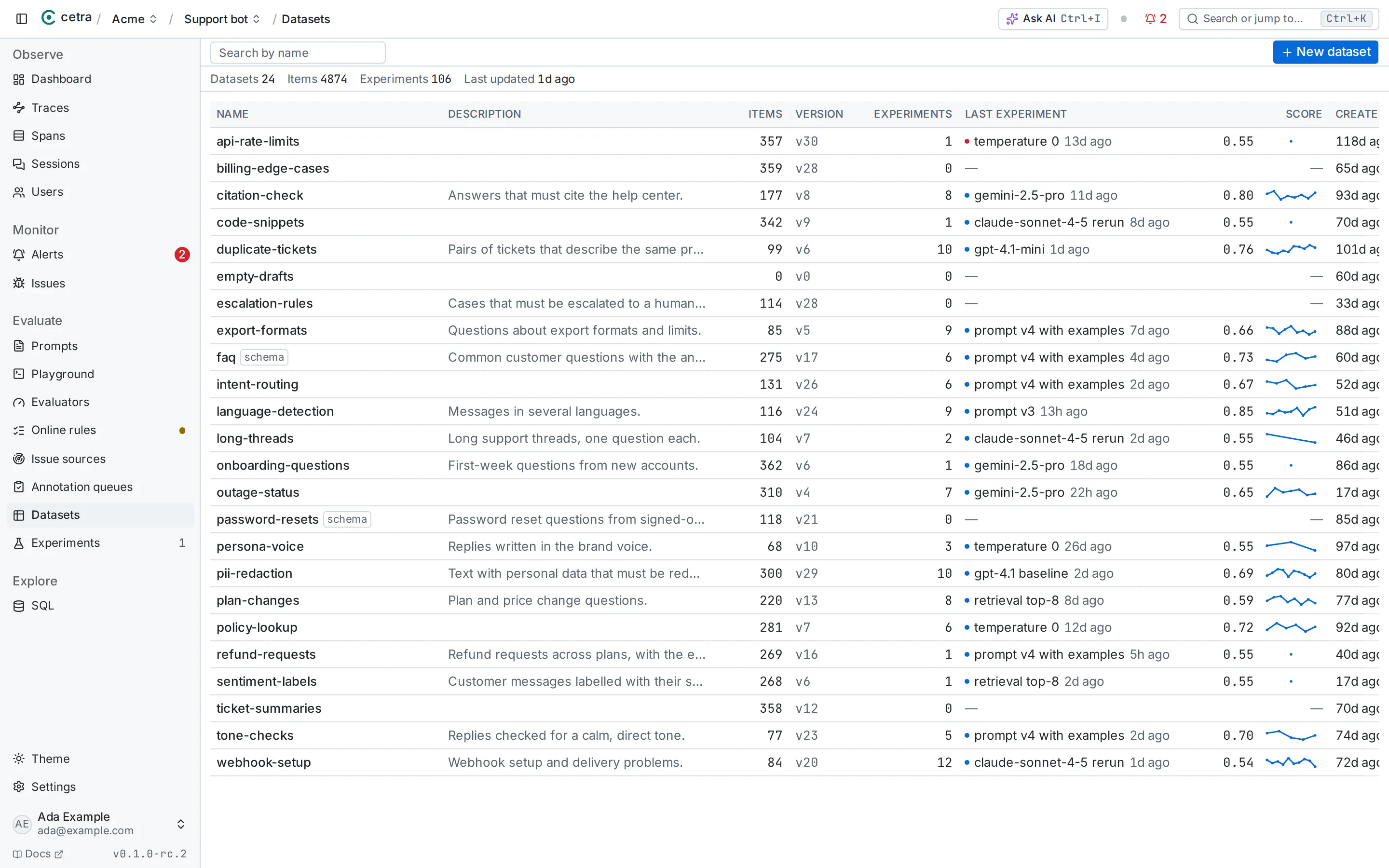
A dataset item has:
input: any JSON value (required);expected_output: any JSON value (optional);metadata: an object of your own fields.
A dataset has a name of 1 to 200 characters that is unique in the project, and an optional description. A dataset holds up to 50,000 items, and one item can be up to 1 MiB. Wherever a page or an API route takes a dataset, you can give its name or its ID.
Versions
Section titled “Versions”Every change to a dataset’s items makes a new version: adding a batch, editing or deleting an item, an import, or adding from a trace. A new dataset is at version 0 with no items. A change that changes nothing makes no version.
Reads use the latest version unless you ask for another one. Past versions are read-only. An experiment pins the version it ran on, so you can always compare results with the data they ran against.
Create a dataset in the UI
Section titled “Create a dataset in the UI”- Open Datasets and select New dataset.
- Enter a name, a description and, optionally, JSON Schemas for the input and the expected output.
- Add items with Add item, or import a file.
A dataset page has four tabs:
- Items is a grid with a search box. Select an item to open it in a side panel, which has previous and next buttons, Edit item and Delete item. Edit cells turns the grid into an editor: change cells, then save or discard. Tick rows to delete several items at once.
- Versions lists the history with a generated description and the counts of added, edited and deleted items for each version. Changes shows what changed. View opens the items of that version, and Restore this version creates a new version with its items.
- Experiments lists the experiments run on the dataset. Tick 2 to 4 to compare them, or select Open in Experiments.
- Settings shows the name, description and schemas, with Edit and Delete dataset. Deleting needs the dataset name typed to confirm. Experiments keep their results.
The version picker in the header switches between Latest and a past version. A past version is read-only, and a banner with Go to latest says so. Run experiment shows the evaluate() code to run on the dataset.
Import a file
Section titled “Import a file”Import takes a CSV or JSONL file of up to 100 MiB and 50,000 rows.
- On the dataset page, select Import, then choose the file.
- For a CSV, map each column to a part of the item:
input,input.<key>,expected,expected.<key>,metadata.<key>, orignore. - Check the preview, which shows the columns and the first rows, then import.
The column rules:
- A cell that holds a JSON object or array becomes that JSON; any other cell is a string.
- An empty cell leaves its key out.
- A JSONL row can use the keys
input,expected_outputandmetadatadirectly. - JSONL rows ignore the keys
id,source_trace_idandsource_span_id, so an exported file imports back. Any other key is a row error.
The import lists invalid rows (up to 100) and stores the valid ones as one new version. If no row is valid, nothing is imported.
Export
Section titled “Export”The Export menu downloads a version as JSONL or CSV. Spreadsheet programs may run a cell that starts with = as a formula, so check a CSV export before you open it in one.
Add a trace or a span
Section titled “Add a trace or a span”On a trace page, Add to dataset copies the root of the trace, or the selected span, into a dataset. The span’s input becomes the item’s input and its output becomes the expected output. You can edit both before you save, and choose an existing dataset or a new one. In the traces list, tick rows and select Add N to dataset to copy each trace’s root input and output into one new version. The item remembers its source trace. If you delete the trace’s data, the item is deleted with it.
Check items against a schema
Section titled “Check items against a schema”When a dataset has an input schema or an expected output schema (JSON Schema, draft 2020-12), cetra checks every item written afterwards: added, edited, imported or copied from a trace. A refused item fails the whole request, and the error names the failing fields. Setting a schema on a dataset that has items first checks every existing item.
Use a dataset from code
Section titled “Use a dataset from code”The Client of each SDK reads the API key and the server URL the way init() does: the argument, then CETRA_API_KEY and CETRA_BASE_URL. It needs a key with the read and write scopes, and its calls raise an error when they fail.
import cetra
client = cetra.Client()  # the key and URL come from the environment
ds = client.datasets.create("faq-v1", description="FAQ questions")ds = ds.add_items(    [        {            "input": {"q": "How do I cancel?"},            "expected_output": {"a": "Settings > Billing > Cancel"},            "metadata": {"topic": "billing"},        }    ])ds = client.datasets.get("faq-v1", version=1)  # the items of version 1print([info.name for info in client.datasets.list()])client.datasets.delete("faq-v1")  # the dataset and its items
import { Client } from "@cetra-ai/sdk";
const client = new Client(); // the key and URL come from the environment
let dataset = await client.datasets.create("faq-v1", { description: "FAQ questions" });dataset = await dataset.addItems([ { input: { q: "How do I cancel?" }, expectedOutput: { a: "Settings > Billing > Cancel" }, metadata: { topic: "billing" }, },]);dataset = await client.datasets.get("faq-v1", { version: 1 }); // the items of version 1console.log((await client.datasets.list()).map((info) => info.name));await client.datasets.delete("faq-v1"); // the dataset and its items- Any key other than the three item fields is refused before a request is sent.
add_items(addItemsin TypeScript) sends batches of 1,000 items, and each batch makes a new version. It returns the dataset at its latest version. If a later batch fails, the earlier batches stay stored.getwithout a version reads the current one.createalso takesinput_schemaandexpected_schema(inputSchemaandexpectedSchemain TypeScript). A refused item raises anApiErrorwhoseerrorslist names the failing fields.
The same operations are available over the REST API under /api/v1/projects/{project}/datasets:
curl -H "Authorization: Bearer <API_KEY>" \ "http://localhost:8080/api/v1/projects/current/datasets/faq-v1/items?version=1"